SaloonERP

SaloonERP Lite

Bookings, team and branches. Without the full ERP.

Lite is the bookings-first side of SaloonERP: the diary, walk-ins, your menu, your team and every branch, plus your listing on Saloonly. When you outgrow it, the same account becomes the full system.

lite.saloonerp.com
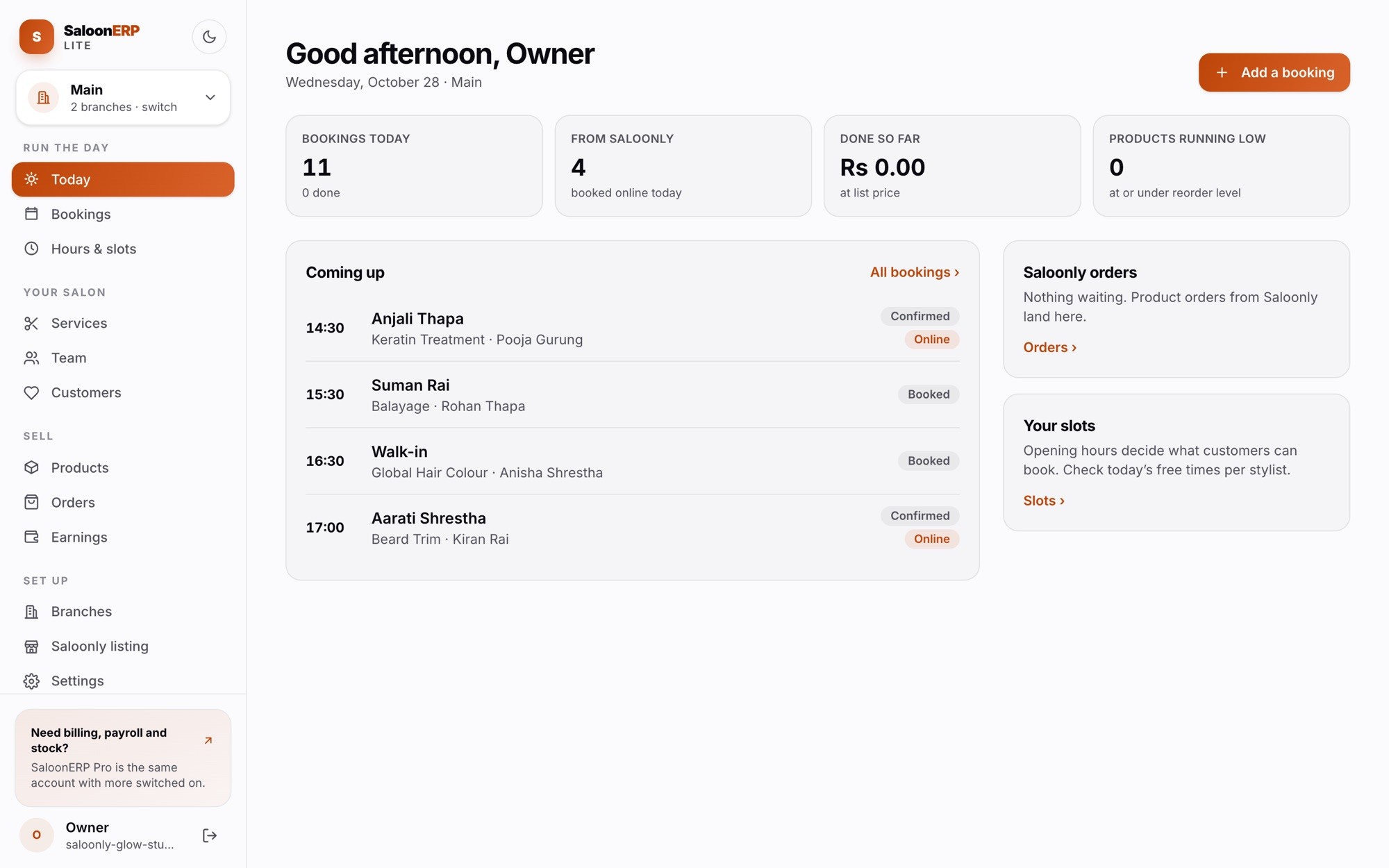
SaloonERP Lite's Today screen: bookings today, bookings from Saloonly, and the next appointments

The real Lite portal, shown with a demo salon.

What Lite does

Everything you need to run the book

Nine screens, grouped the way a day goes: run the day, your salon, sell, set up.

Today, at a glance

Bookings today, how many came from Saloonly, what is done and what is next, the moment you sign in.

A diary that holds

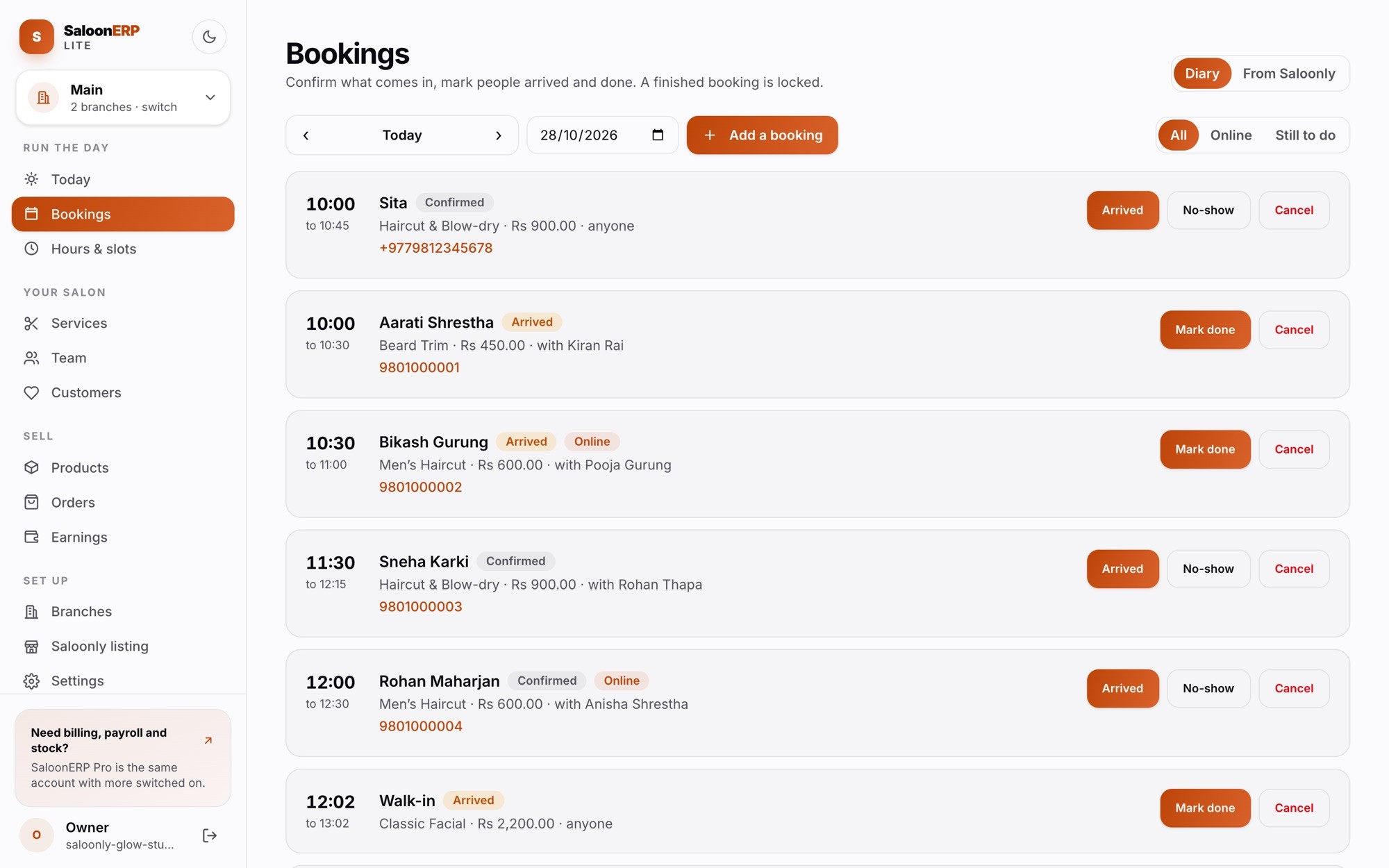
Confirm, mark arrived, mark done or no-show. A finished booking is locked so the record cannot drift.

Phone bookings and walk-ins

Take a booking for later in salon time, or add the walk-in standing at the desk and mark them arrived in one go.

Your menu

Services with prices, how long each takes and a description customers see. Switch one off without deleting it.

Your team

Who takes bookings in each branch, and which services each person does. Customers can pick someone or anyone free.

Customers

Everyone who has booked, with their visits. A walk-in needs no name; add one later and the visit joins their history.

Products

What you sell, with stock levels and a warning when something is running low.

Saloonly orders

Product orders customers place on Saloonly to collect and pay for at your salon.

Every branch

Open locations, switch between them, and give each one its own sign-in. Everything on screen follows the branch.
At the desk

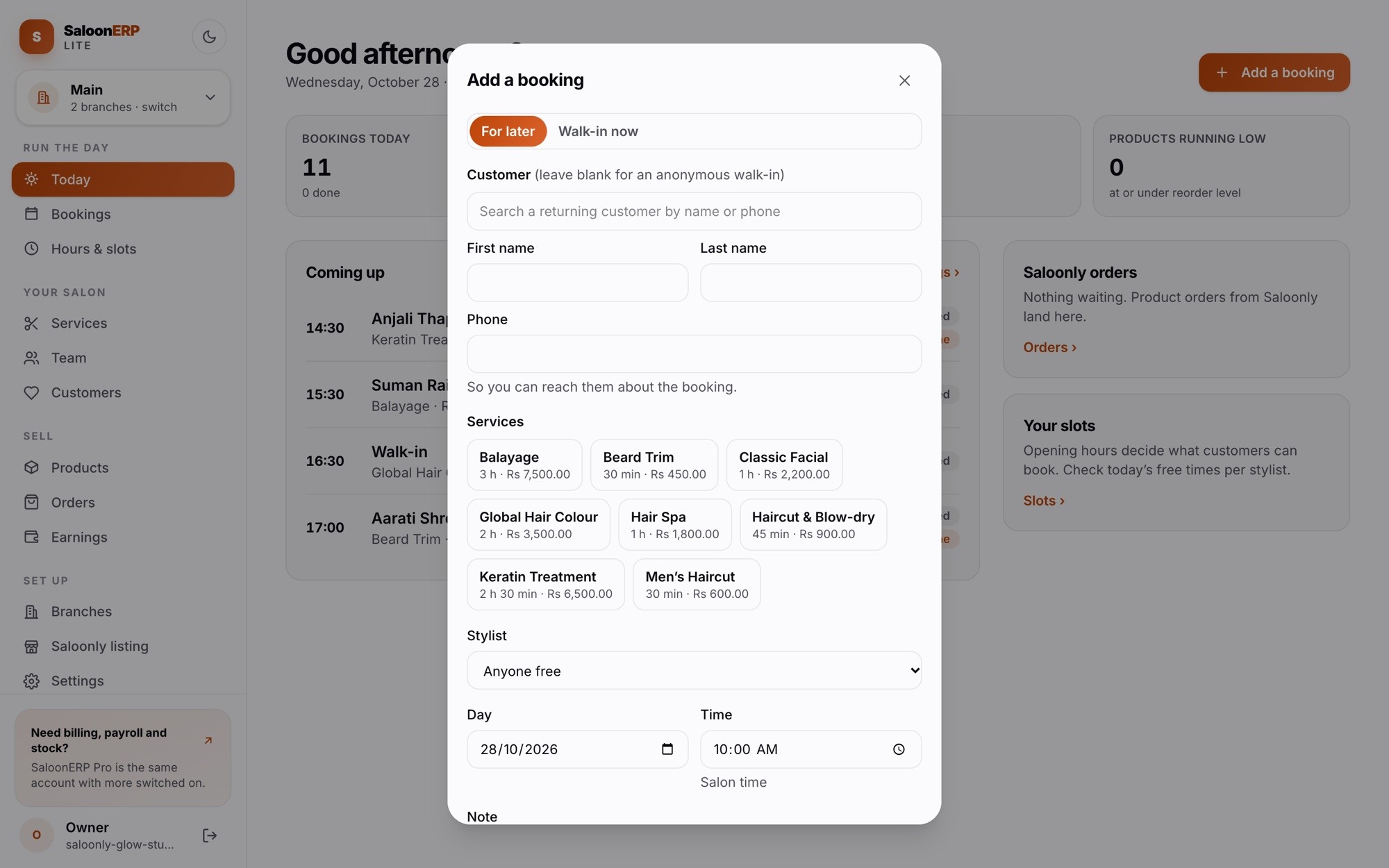
A booking in seconds, with or without a name

  • Search a returning customer, type a new one, or leave it blank for an anonymous walk-in.
  • Pick services and see the total and the time it takes.
  • Choose a stylist, or anyone free. The list only shows people who do those services.
  • Pick the day and time in salon time, or choose Walk-in now to start straight away.
lite.saloonerp.com
The Add a booking sheet with customer search, services, stylist, day and time

The diary

Confirm, arrive, done. In the order it happens.

lite.saloonerp.com/bookings
The Lite bookings diary with arrived, confirmed and online bookings

More than one location

Every branch, one sign-in for you

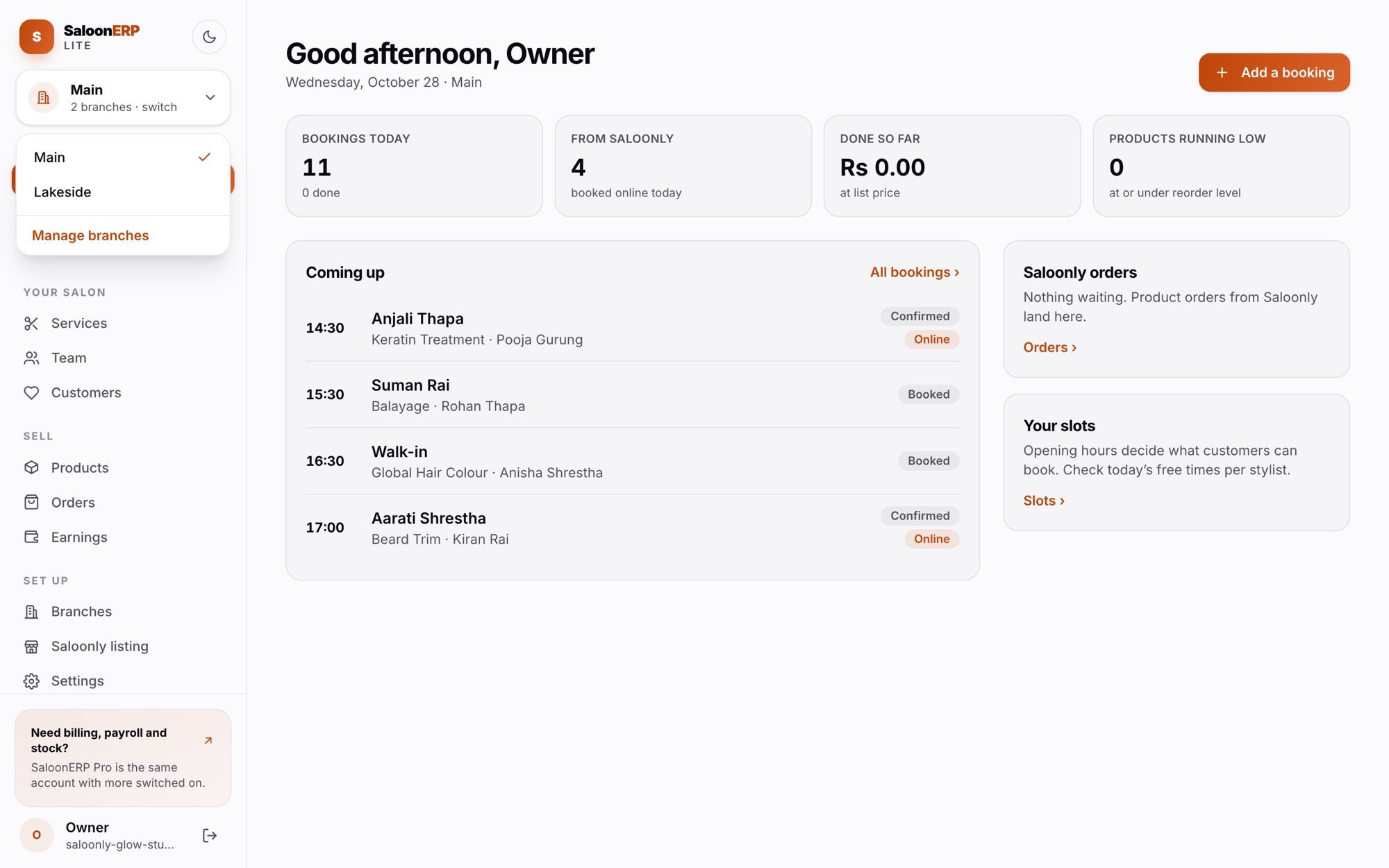
Switch branches from the top of the menu and every screen follows. Give each branch its own sign-in for whoever runs it day to day.

lite.saloonerp.com
The branch switcher open, listing the salon's branches
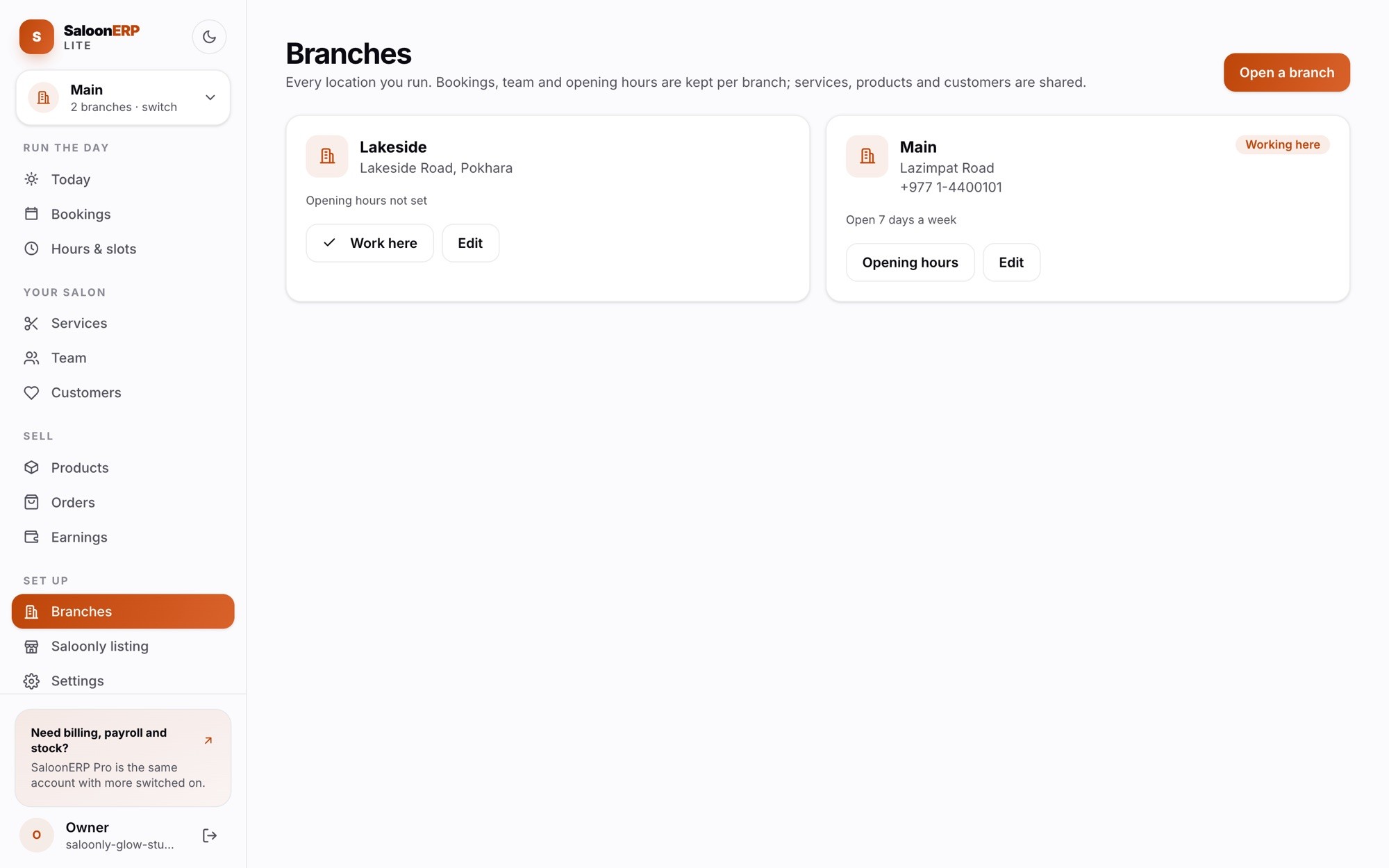
lite.saloonerp.com/branches
The Branches page listing each location

Kept per branch

Bookings, team and opening hours.

Shared by every branch

Services, products and customers. A regular at two branches is one customer.

On the go

It fits in your pocket too

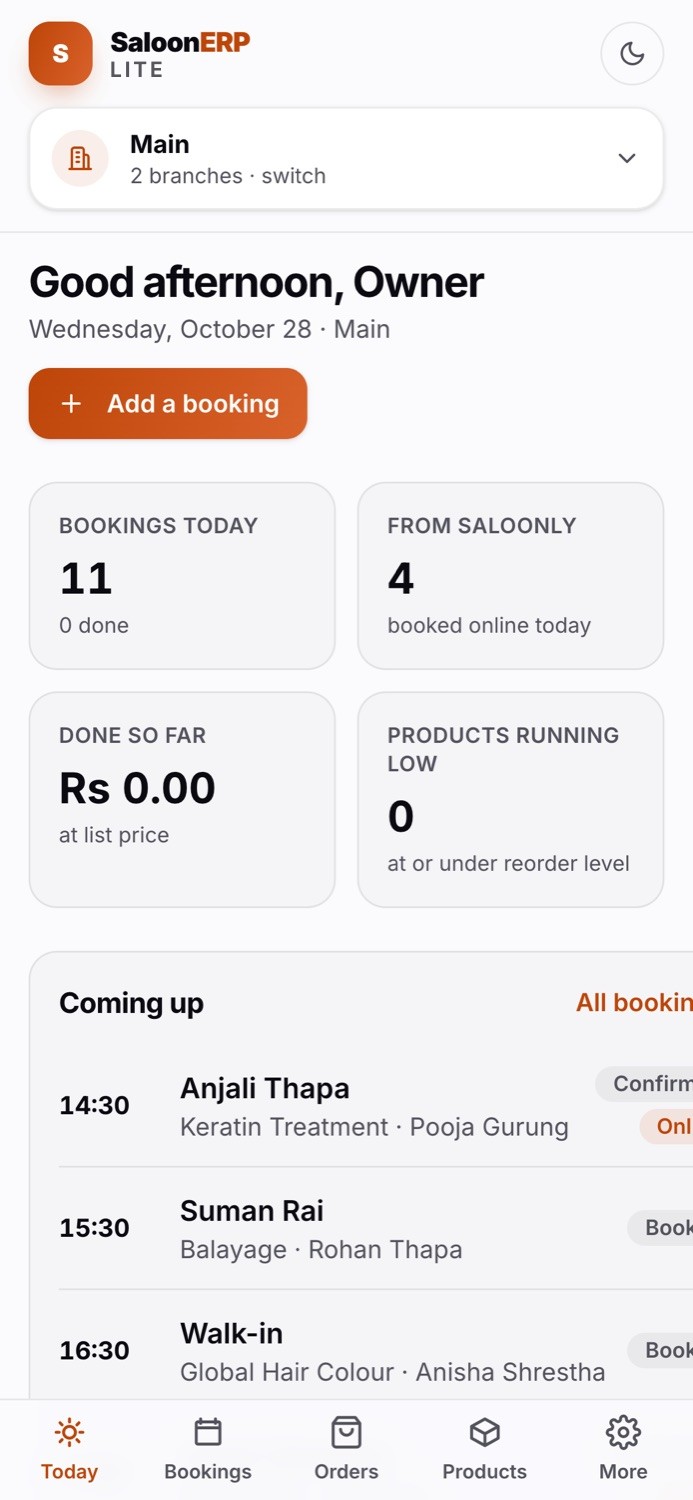
SaloonERP Lite's Today screen on a phone

Lite works in the browser on any phone, with a tab bar at the bottom for Today, Bookings, Orders and Products. Nothing to install. For the full SaloonERP on a phone, there is the SaloonERP app.

Lite or the full system

Start with what you need

The full SaloonERP is the same account with more switched on. Nothing to migrate when you move.

What you getLiteFull SaloonERP
Diary, phone bookings and walk-ins
Services, team and customers
Products and Saloonly orders
Multiple branches with their own sign-in
Listed and bookable on Saloonly
Front-desk billing, invoices and split payments
Cash drawer and end-of-day close
Stock batches, expiry and purchases
Memberships, packages, gift cards, loyalty
Payroll, attendance, roster and leave
Full report suiteEarnings

Get found

Lite comes with your Saloonly listing

Your Saloonly page is built from the services, team and hours you keep in Lite, and Saloonly bookings land in the same diary.

Questions

Asked before you sign up

Salons that want their bookings, menu and team handled properly, and want to be bookable on Saloonly, without running billing, stock and payroll in software yet. Single-chair studios and multi-branch salons both use it.

Run the book properly, starting today.

We set you up, import your menu and team, and show you around.